Building a Discord AI Chatbot with Golang + Google Gemini API
In this article, we will use Golang combined with the Google Gemini API to implement a Discord chatbot.
🛠️ Prerequisites
Before we start, please ensure you have the following development environment and API keys ready:
- Golang Environment: Install Go 1.25 or a later version.
- Discord Bot Token:
- Go to the Discord Developer Portal.
- Create a new Application and add a Bot.
- Get the Bot Token (keep it safe, do not leak it).
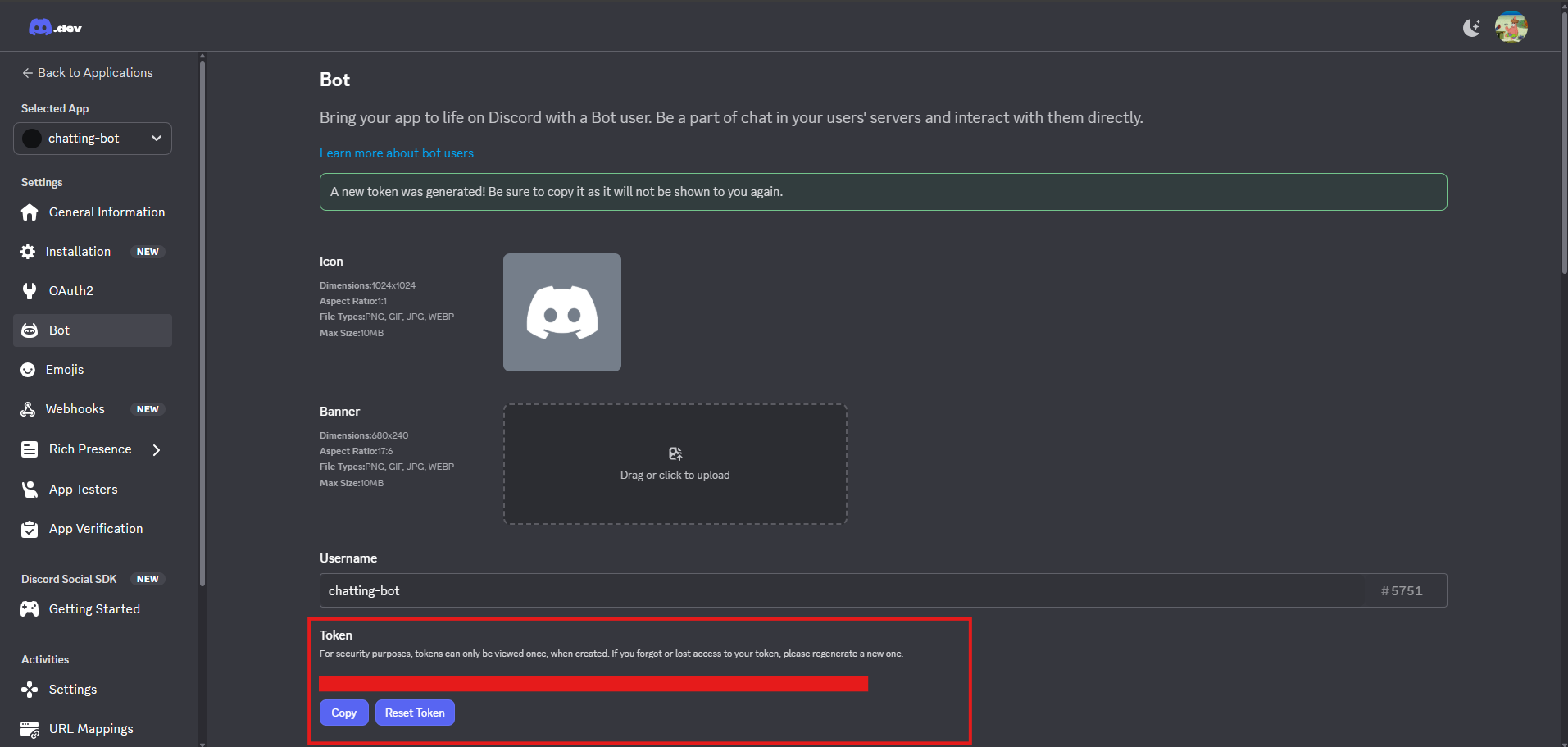
- Enable
Message Content Intentpermission so the bot can read user messages.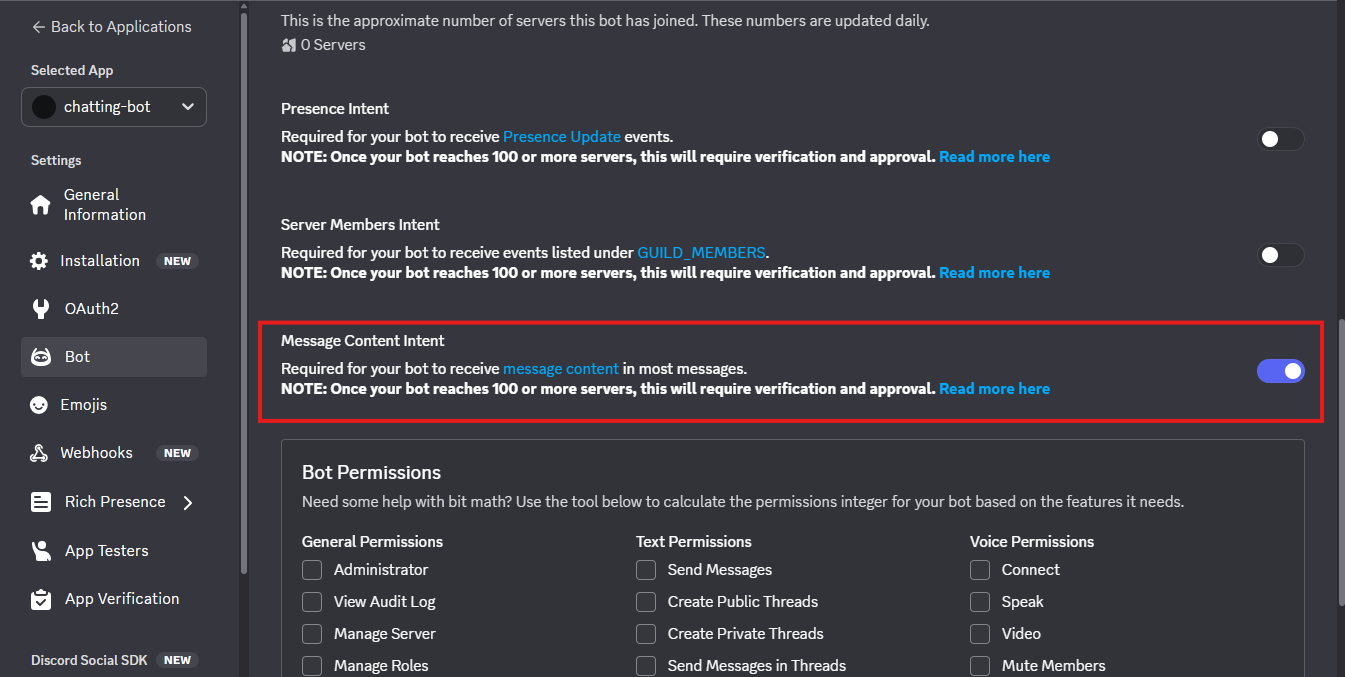
- Invite the bot to your Discord server via OAuth2.
- Select scopes
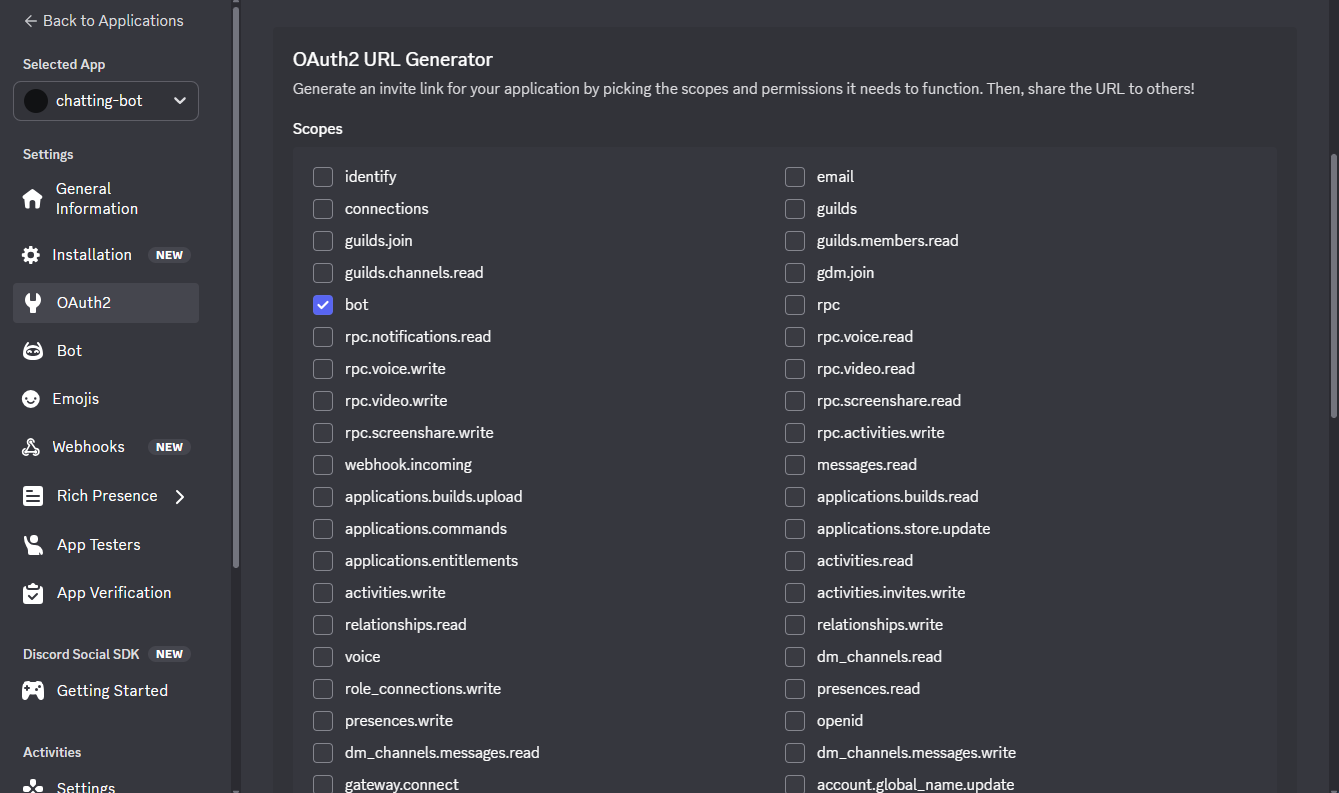
- Select permissions
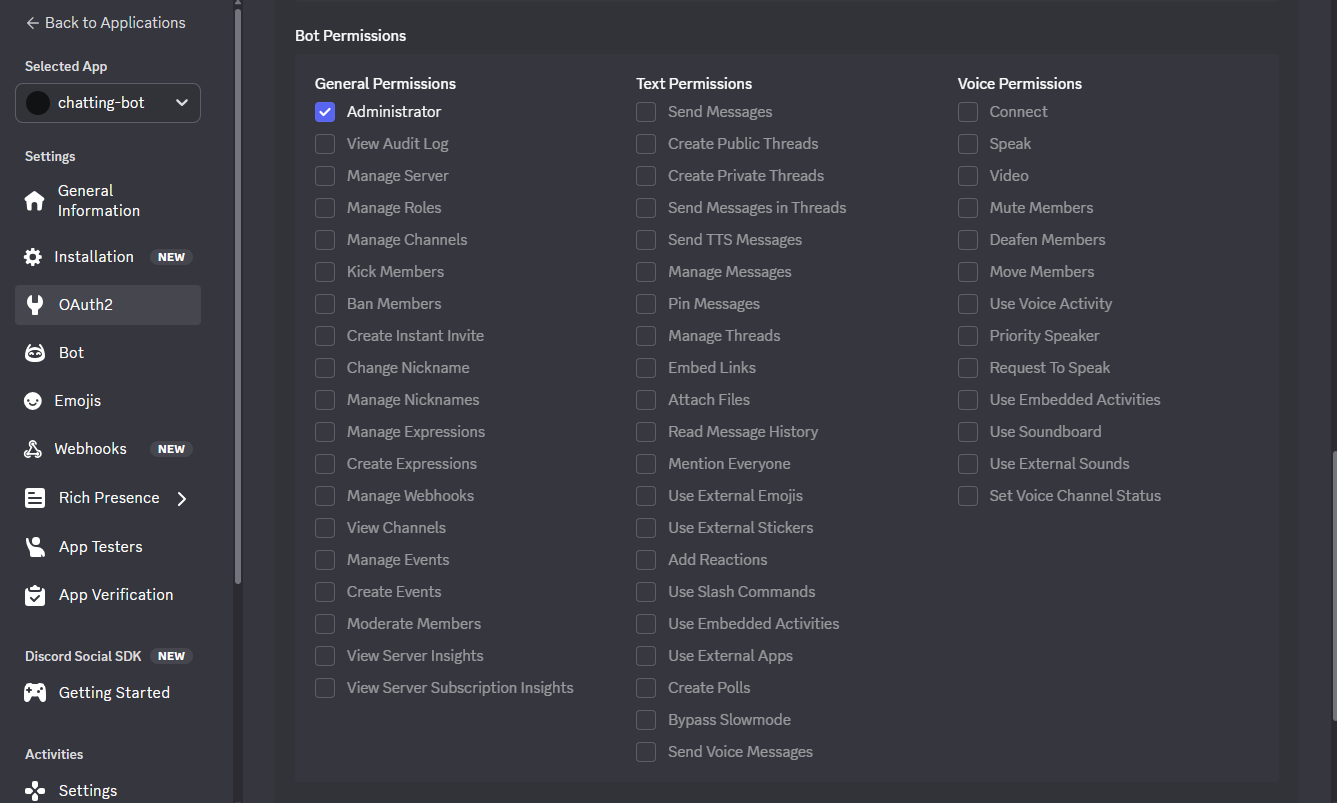
- Generate URL and invite the bot
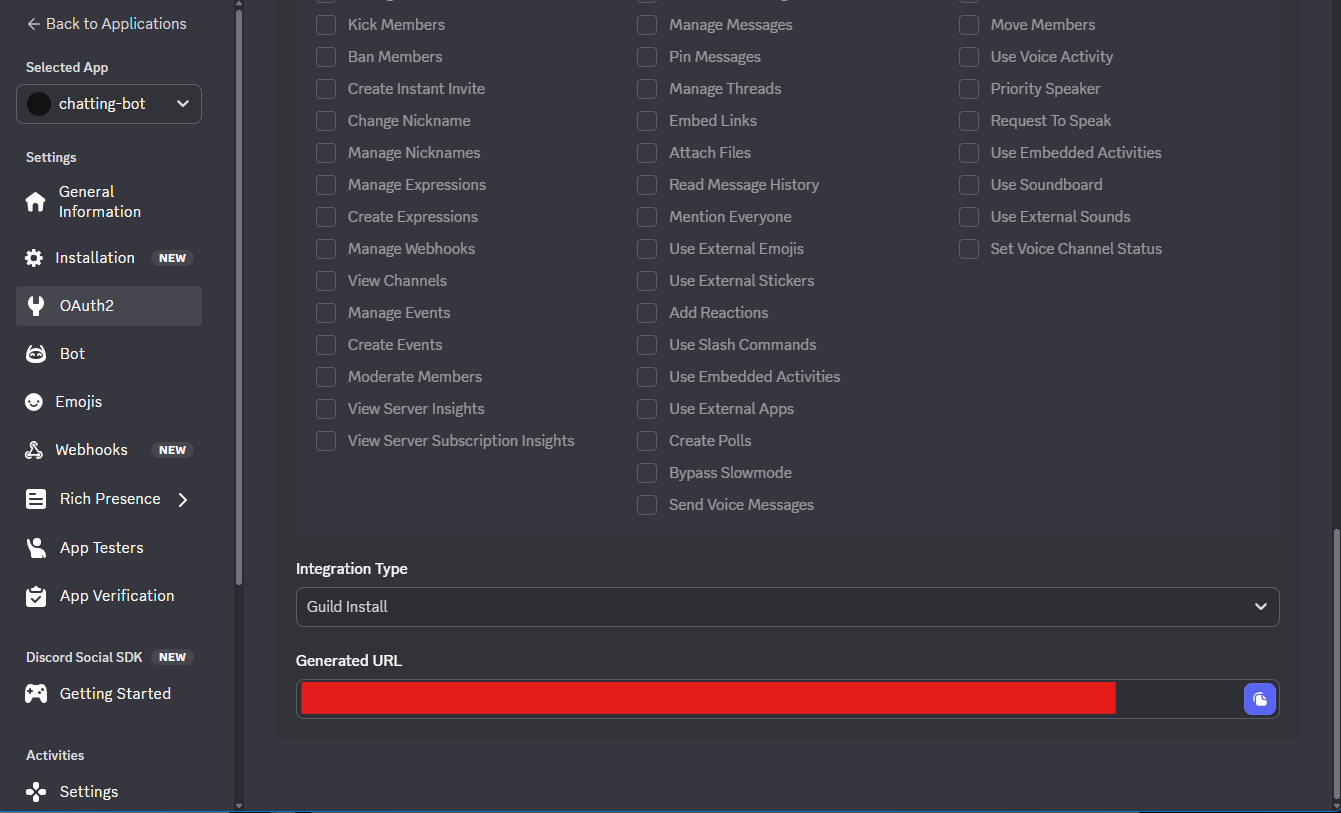
⚠️ Note: The bot will be offline at this stage.
- Select scopes
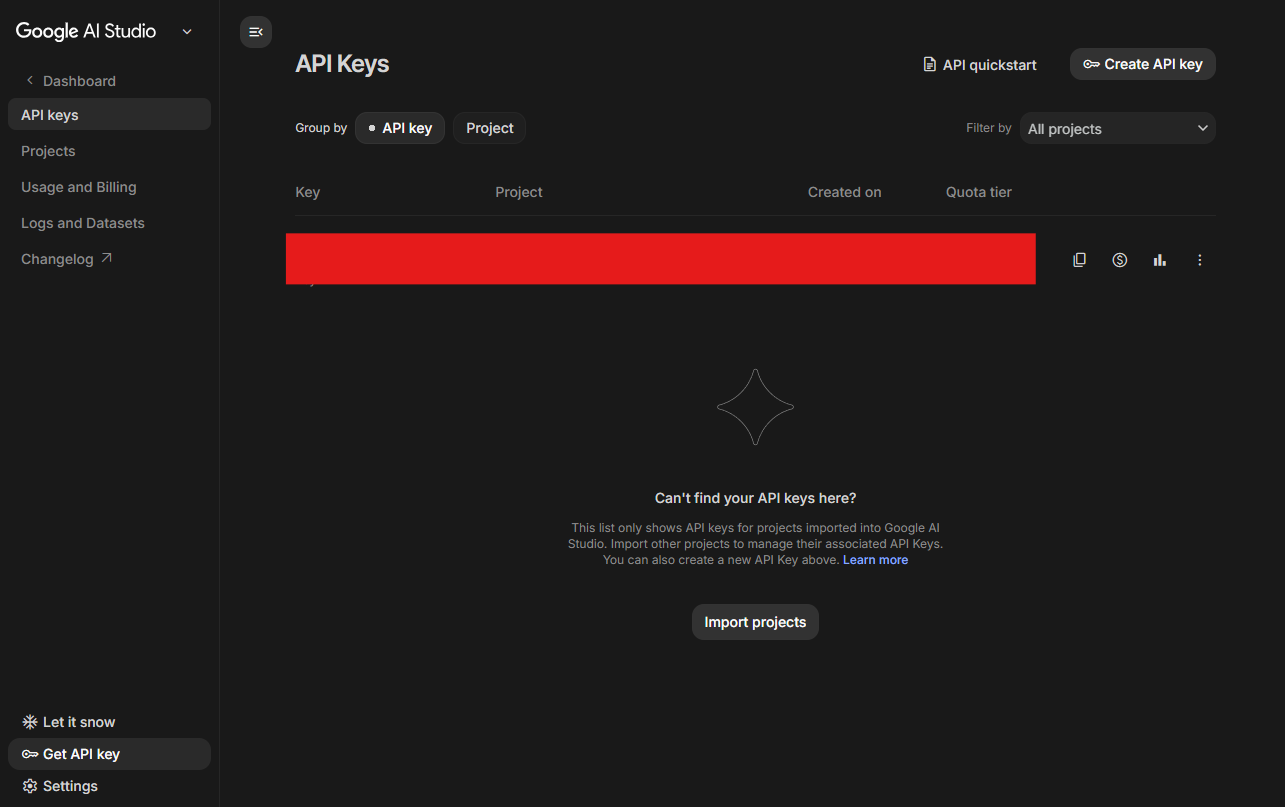
- Google Gemini API Key:
- Go to Google AI Studio.
- Create a new API Key.
🚀 Project Initialization
First, create a new project directory and initialize the Go module:
mkdir discord-chatbot
cd discord-chatbot
go mod init discord-chatbot
Next, we need to install two main packages:
github.com/bwmarrin/discordgo: Discord SDK for Go.google.golang.org/genai: Google GenAI SDK for Go.github.com/joho/godotenv: For reading.envenvironment variable files.
go get github.com/bwmarrin/discordgo
go get google.golang.org/genai
go get github.com/joho/godotenv
💻 Implementation
The project structure is simple, mainly divided into main.go (handling Discord logic) and gemini.go (handling AI logic).
1. Gemini Client (gemini.go)
To enable the bot to converse like a human, we need a mechanism to store conversation history. Here we define a GeminiClient struct and use a map to store conversation records for different channels.
You can change the
modelto your needs, such asgemini-2.5-flash-lite.
package main

import (
	"context"
	"fmt"
	"sync"

	"google.golang.org/genai"
)

// GeminiClient wraps the Google GenAI client and manages conversation history
type GeminiClient struct {
	client   *genai.Client
	sessions map[string][]*genai.Content // Key: Channel ID, Value: Conversation History
	mu       sync.Mutex                  // Mutex to protect map from concurrent access
}

func NewGeminiClient(apiKey string) (*GeminiClient, error) {
	ctx := context.Background()
	client, err := genai.NewClient(ctx, &genai.ClientConfig{
		APIKey: apiKey,
	})
	if err != nil {
		return nil, fmt.Errorf("failed to create genai client: %w", err)
	}

	return &GeminiClient{
		client:   client,
		sessions: make(map[string][]*genai.Content),
	}, nil
}

// Chat sends a message to Gemini and maintains conversation history
func (gc *GeminiClient) Chat(channelID, userMessage string) (string, error) {
	gc.mu.Lock()
	defer gc.mu.Unlock()

	// Initialize history for the channel if it doesn't exist
	if _, ok := gc.sessions[channelID]; !ok {
		gc.sessions[channelID] = []*genai.Content{}
	}

	// Append user message to history
	gc.sessions[channelID] = append(gc.sessions[channelID], &genai.Content{
		Role: "user",
		Parts: []*genai.Part{
			{Text: userMessage},
		},
	})

	// Optimization: Keep only the last 20 messages to prevent Token limit issues or excessive resource usage
	const maxHistory = 20
	if len(gc.sessions[channelID]) > maxHistory {
		gc.sessions[channelID] = gc.sessions[channelID][len(gc.sessions[channelID])-maxHistory:]
	}

	// Specify the Gemini model
	model := "gemini-2.5-flash"

	// Call Gemini API
	resp, err := gc.client.Models.GenerateContent(context.Background(), model, gc.sessions[channelID], nil)
	if err != nil {
		return "", fmt.Errorf("failed to generate content: %w", err)
	}

	// Parse the response
	if len(resp.Candidates) == 0 || len(resp.Candidates[0].Content.Parts) == 0 {
		return "", fmt.Errorf("no response candidates returned")
	}

	var aiResponse string
	for _, part := range resp.Candidates[0].Content.Parts {
		if part.Text != "" {
			aiResponse += part.Text
		}
	}

	// Append AI response to history
	gc.sessions[channelID] = append(gc.sessions[channelID], &genai.Content{
		Role: "model",
		Parts: []*genai.Part{
			{Text: aiResponse},
		},
	})

	return aiResponse, nil
}

// Reset clears the conversation history for a specific channel
func (gc *GeminiClient) Reset(channelID string) {
	gc.mu.Lock()
	defer gc.mu.Unlock()
	delete(gc.sessions, channelID)
}
2. Main Entry (main.go)
In the main program, we connect to the Discord Gateway and listen for MessageCreate events. When the !ai command is received, we call GeminiClient to get a response.
package main

import (
	"fmt"
	"log"
	"os"
	"os/signal"
	"strings"
	"syscall"

	"github.com/bwmarrin/discordgo"
	"github.com/joho/godotenv"
)

var geminiClient *GeminiClient

func main() {
	// Load .env
	godotenv.Load()

	botToken := os.Getenv("DISCORD_BOT_TOKEN")
	geminiKey := os.Getenv("GEMINI_API_KEY")

	if botToken == "" || geminiKey == "" {
		log.Fatal("Please set DISCORD_BOT_TOKEN and GEMINI_API_KEY in the .env file")
	}

	// Initialize Gemini Client
	var err error
	geminiClient, err = NewGeminiClient(geminiKey)
	if err != nil {
		log.Fatal("Error creating Gemini client:", err)
	}

	// Initialize Discord Session
	dg, err := discordgo.New("Bot " + botToken)
	if err != nil {
		log.Fatal("error creating Discord session,", err)
	}

	// Register message event handler
	dg.AddHandler(messageCreate)

	// Set Intent
	dg.Identify.Intents = discordgo.IntentsGuildMessages

	// Open connection
	err = dg.Open()
	if err != nil {
		log.Fatal("error opening connection,", err)
	}
	defer dg.Close()

	fmt.Println("Bot is now running. Press CTRL-C to exit.")

	// Wait for interrupt signal
	sc := make(chan os.Signal, 1)
	signal.Notify(sc, syscall.SIGINT, syscall.SIGTERM, os.Interrupt)
	<-sc
}

func messageCreate(s *discordgo.Session, m *discordgo.MessageCreate) {
	if m.Author.ID == s.State.User.ID {
		return
	}

	// Command: !reset (Clear memory)
	if m.Content == "!reset" {
		if geminiClient != nil {
			geminiClient.Reset(m.ChannelID)
			s.ChannelMessageSend(m.ChannelID, "🧹 Conversation history for this channel has been cleared, we can start over!")
		}
		return
	}

	// Command: !ai <message>
	if strings.HasPrefix(m.Content, "!ai ") {
		userMessage := strings.TrimPrefix(m.Content, "!ai ")
		if userMessage == "" {
			s.ChannelMessageSend(m.ChannelID, "Please enter a message, e.g., `!ai Hello`")
			return
		}

		// Show "Typing..." status
		s.ChannelTyping(m.ChannelID)

		if geminiClient != nil {
			response, err := geminiClient.Chat(m.ChannelID, userMessage)
			if err != nil {
				log.Println("Gemini Error:", err)
				s.ChannelMessageSend(m.ChannelID, "❌ AI encountered an error, please try again later.")
				return
			}

			// Discord message limit is 2000 characters, simple truncation here
			if len(response) > 2000 {
				s.ChannelMessageSend(m.ChannelID, response[:1990]+"...\n(Response truncated due to length)")
			} else {
				s.ChannelMessageSend(m.ChannelID, response)
			}
		}
	}
}
🏃♂️ Running and Testing
1. Set Environment Variables
Create a .env file in the project root:
DISCORD_BOT_TOKEN=YourToken
GEMINI_API_KEY=YourAPIKey
2. Start the Bot
go run .
3. Test Commands
Return to your Discord server (ensure the Bot is in the server) and try the following commands:
!ai Hi, please introduce Golang in one sentence.!ai Following the previous question, what about Python?(Test context memory)!reset(Clear memory)
🔮 What’s Next?
Currently, our Bot only runs on a local computer and stops when the computer is turned off. To keep it running 24/7, we can look into how to deploy it to the cloud when we have time!